
 By Prime Star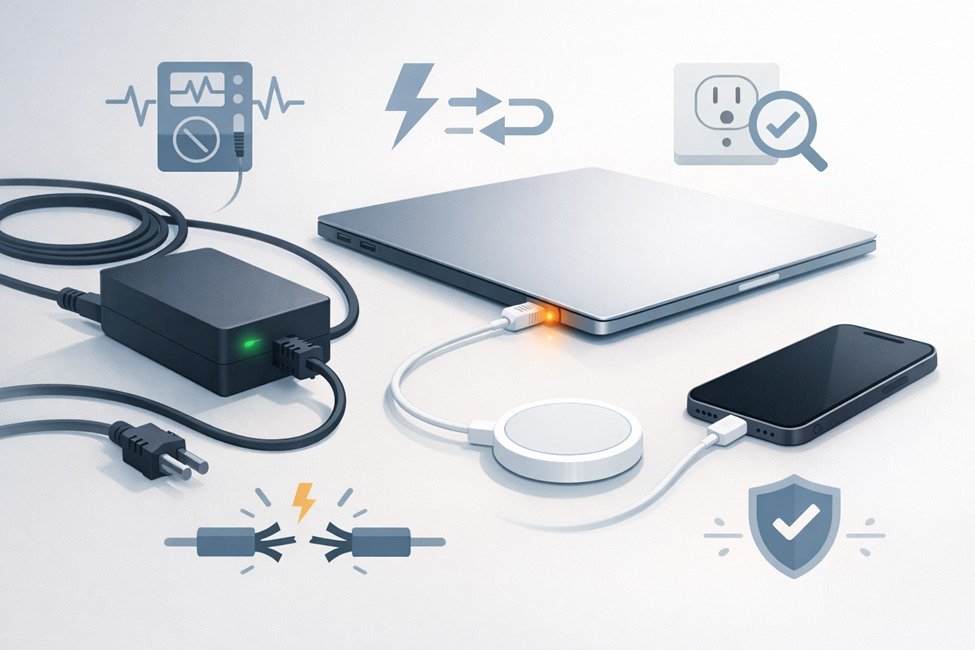
A charger that appears dead is often easy to fix. Whether you’re on a Windows laptop using an HP laptop charger or reading emails on your Apple laptop or iPhone thanks to your MagSafe cable, there are usually a few quick checks you can do to see if the problem is with the cable, brick, outlet, or device. Here are some practical, safe steps you can do at home with minimal tools, and the signs that indicate it’s time to replace the charger.
What to look at first: rapid visual and power checks for HP laptop charger, MagSafe charger
Begin with the obvious. Unplug the charger, then check (with a flashlight) for melted plastic on the cord or brick, exposed wires, bent connectors and corroded pins. Smell around and see if you identify something bubbling or burning, or a chemical smell; then feel to see whether the adapter is getting especially hot when plugged in elsewhere. (Stick to standalone wall outlets rather than using surge strips while testing.) HP jack adapters for their laptops are typically around 45 to 65 watts (for example, 19.5V ~3.33A for a 65W) so the voltage and wattage matter when changing chargers.
If the charger came with an LED (some HP smart adapters do) or if the MagSafe connector has an indicator light, pay attention to its color. MagSafe’s amber usually means charging, green indicates that your battery is fully charged, and no light might mean you have a power or connection issue.
How to Safely Test an HP Laptop Charger (What You Need to Do and How You Need to Read)
To accurately test this you would require a basic digital multimeter. Turn the multimeter to DC volts, and ensure that it’s on a setting where you can measure as high as the adapter’s output (usually 20V DC for most laptop adapters).
With the charger connected to the AC mains plug and the DC port exposed, place the black tester probe on your outer barrel (system ground) while touching the inside pin with the red probe. Reading should almost match the adapter’s output rating listed on the brick. Low variance under load is typical. A reading of zero, or a very different voltage, indicates a problem with the adapter or its internal fuse.
If the voltage looks good but the laptop still won’t charge, then check for continuity in the cable to see if it is broken, and try another compatible adapter if you have one. First match voltage, and confirm that the adapter is capable of supplying at least as much wattage as your laptop requires; it need not always provide 90 watts. I wouldn’t use anything but the real adapter for safety and because they work best.
How to check if a MagSafe charger is working (for MacBooks and MagSafe battery accessories)
MagSafe connectors rely on clean metal contacts. Start by clearing any debris or metal shavings from the MagSafe port and connector using a soft, dry cloth. If the MagSafe light flickers or acts up, unplug everything, clean connectors and reboot as preliminary solutions. If this is the case extra ones won’t benefit you much, and there are other factors in addition to cable gauge.
If there’s no light at all, test the USB-C power source (for MagSafe 3 configurations) or try out a different known-good power adapter or cable.
For iPhone MagSafe charger (MagSafe puck and MagSafe battery pack), alignment and case interference are important. If an iPhone won’t charge, look at placement, case and whether the host adapter puts out enough juice.
Precautions and when to discontinue testing
Stop testing immediately if you smell or see smoke, feel a burning sensation, or discover any area of exposed copper. Defective adapters can short out devices or set them on fire. If the adapter is getting hot when you are doing practically nothing (light use), then it’s time to replace it. When in doubt, a certified replacement from the manufacturer eliminates many of those risks.
When it’s better to replace than repair
Replace the charger if you see physical damage, get no multimeter readings or out of whack ones, or experience continuous malfunctioning after having cleaned and re-seated the connectors. For MagSafe setups, if you experience multiple connector failures or the LED dying after cleaning, it’s likely your cable or adapter is bad. For HP notebooks the test follows on the AC adapter: test if a different compatible power adapter charges your computer to determine if you need to replace your power adapter.
FAQs
What does it mean when the MagSafe light is amber and yet the laptop isn’t charging?
Amber means charging. If the laptop does not turn on, reset power (restart the device) and clean contacts. If the LED is not solid on, or is erratic or flashing, clean the connector and reconnect.
How accurate is a multimeter compared to the adapter’s marked voltage?
Expect the DC voltage to read well within a smidgen of the printed output at idle. If the result is well off or zero, your adapter has failed, check your adapter label to see the actual expected voltage.
Can I use a higher wattage HP charger safely?
Yes, as long as the adapter has a higher wattage at the same voltage. This is because laptops draw only what they need, and that’s why you want to match voltage numbers exactly. Make sure it also matches in connector type.
Why does a MagSafe puck light up but not charge my iPhone?
If there is misalignment, magnetic cases, wallet interference or adapter power shortage, it may not charge. Remove accessories, center the puck and plug into a powered block for best performance.